How to Set Up Lionel LEGACY Command Control: Complete 2026 Setup Guide
August 25, 2026
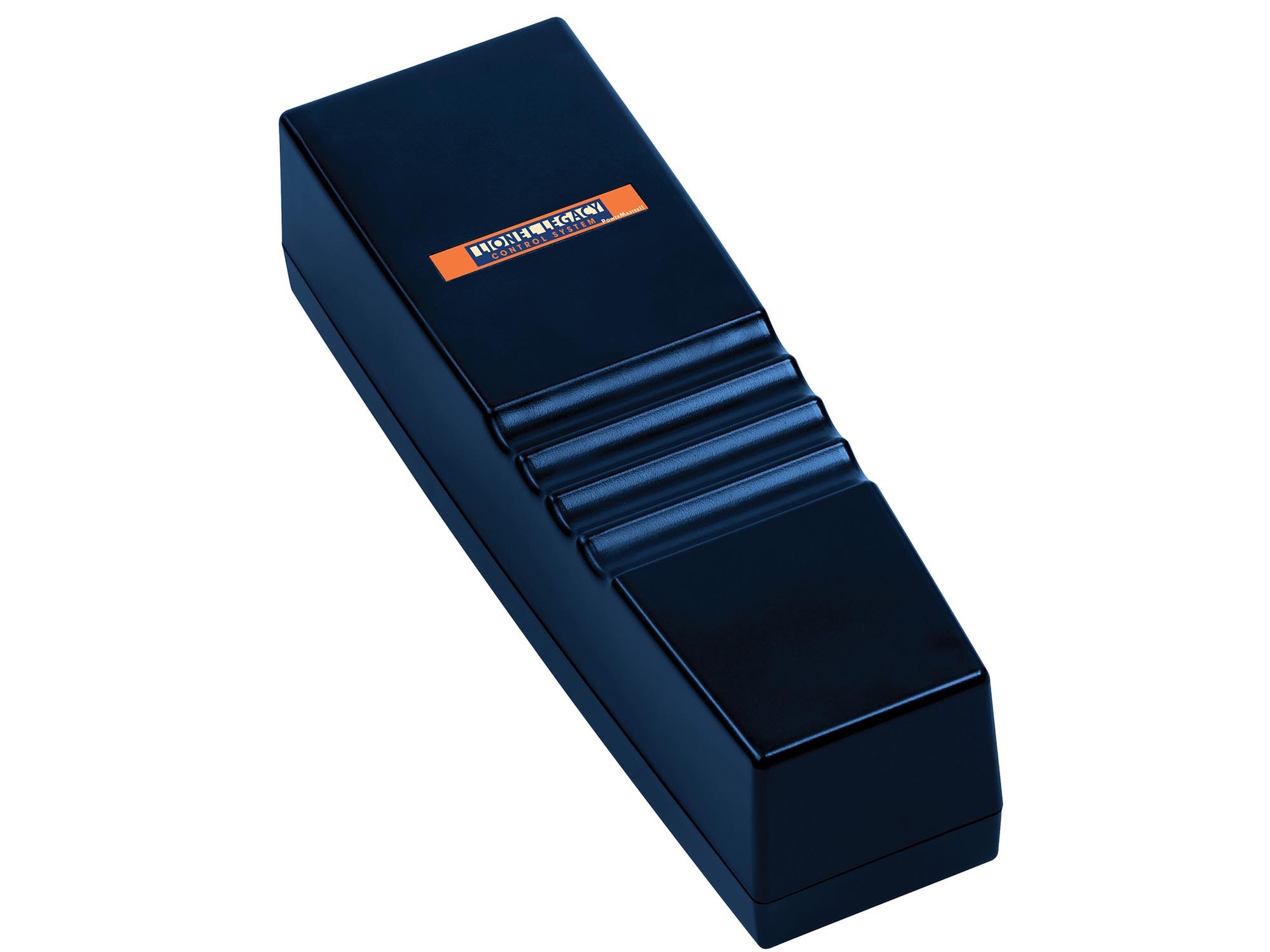
How do you set up Lionel LEGACY command control? For hobbyists who have just purchased their first LEGACY locomotive or are upgrading from LionChief Bluetooth to full LEGACY, the initial setup can feel intimidating — LEGACY involves separate hardware (base station, controller), programming individual locomotives, and a command system that goes far beyond simple Bluetooth pairing. Done right, though, LEGACY setup takes about 30-45 minutes and delivers command control features that will support your layout for decades.
This complete 2026 setup guide walks through every step: hardware you need, physical connections, initial locomotive programming, controller pairing, common configuration options, and troubleshooting the most common LEGACY setup issues. By the end you'll have a working LEGACY layout with your first locomotive operating under full command control.
What LEGACY Command Control Actually Is
Before diving into setup, understand what LEGACY does:
Command signal system: LEGACY sends digital commands through the outer track rails to individual locomotives. Each locomotive has a unique ID number and responds only to commands addressed to its ID.
Independent locomotive control: Multiple LEGACY locomotives on the same track can be operated independently. Locomotive A cruises at 30 mph while Locomotive B accelerates from stop, all under separate control.
Advanced feature control: LEGACY provides granular control over locomotive features — RailSounds 5.0 volume, ElectroCoupler operation, smoke output, momentum programming, cruise control settings, and much more.
Backward compatibility: LEGACY controls both LEGACY-native locomotives and older TMCC (TrainMaster Command Control) locomotives on the same layout.
What You Need for LEGACY Setup
A working LEGACY installation requires four components:
1. LEGACY Base Station (Lionel #6-14295 or newer)
The LEGACY base station transmits commands from your controller to the track. Physically small unit that connects between your controller/app and your track power. Retail: $199-$299.
2. LEGACY Controller
Two options: CAB-2 physical controller ($299-$499) — dedicated handheld controller with all LEGACY functions accessible through physical buttons and screen. LEGACY app (free) with LEGACY WIFI base ($199) — smartphone control via the LEGACY app running on iOS or Android.
Many serious operators use both — CAB-2 for detailed control, app for casual browsing and secondary operator use.
3. Regulated Power Supply
LEGACY works best with regulated modern transformers. Options: Lionel PowerMaster 180 (180W) — $199-$275, standard recommendation for medium layouts. Lionel ZW-L (620W) — $650-$799, premium option for larger layouts. See our transformer buyer's guide.
4. Three-Rail Track
Any standard O-gauge three-rail track works with LEGACY. FasTrack, Atlas O, MTH RealTrax, and Gargraves all support LEGACY command signal through the outer rails.
Physical Wiring Sequence
Connect components in this order:
Step 1: Power supply to LEGACY base station power input.
Step 2: LEGACY base station output to track. Two wires: one to outer rails (return), one to center rail (power). Any three-rail track terminal works.
Step 3: LEGACY base station to controller (CAB-2 via cable, or WIFI base for app control). CAB-2 uses standard controller cable. LEGACY WIFI base connects to your home WIFI for app access.
Step 4: Verify visual confirmation: LEGACY base station LEDs indicate power (usually green LED) and signal transmission (usually blinking amber LED when operating).
Initial Locomotive Programming
Every new LEGACY locomotive needs to be programmed with a unique ID before you can control it. This is a one-time setup per locomotive.
Programming Procedure:
Step 1: Place the locomotive on the track. Ensure it's the ONLY locomotive on the track during programming.
Step 2: Apply power. Locomotive should respond with power-on sounds and lights.
Step 3: On CAB-2 or LEGACY app, enter "Program New Locomotive" mode.
Step 4: Assign the locomotive a unique ID (any number 1-99 not already in use).
Step 5: Send the programming command. Locomotive should respond with acknowledgment sounds/lights.
Step 6: Verify by sending a test command (horn, bell, or throttle change) addressed to the new ID. Locomotive should respond.
Step 7: Programming complete. Locomotive is now controllable by its assigned ID.
Repeat this procedure for each additional LEGACY locomotive, using a different unique ID each time.
Common Configuration Options
Once locomotives are programmed, you can configure per-locomotive settings:
Momentum: Programmable acceleration and deceleration rates. Higher momentum = more realistic prototype behavior. Lower momentum = more responsive to throttle changes.
Speed table: Custom speed curves that adjust how throttle position maps to actual locomotive speed. Useful for matching multiple locomotives to run together.
Sound settings: Individual sound feature enable/disable. Custom sound assignments to buttons.
Smoke intensity: Regulate smoke output level.
Coupler configuration: Enable/disable ElectroCoupler operation on front and rear couplers.
Cruise control: Enable cruise control mode and set cruise speed defaults.
Controller Layout and Basic Operation
The CAB-2 controller layout:
Throttle wheel: Primary speed control. Turn clockwise to increase speed, counterclockwise to decrease.
Direction switch: Forward/reverse switch. Verify locomotive stopped before changing direction.
Locomotive ID selector: Digital display shows currently selected locomotive ID. Change to control different locomotive.
Function buttons: Horn, bell, smoke, coupler, and other feature-specific buttons.
Menu system: Access advanced configuration through menu button and navigation controls.
Testing Your Setup
Once everything is connected and one locomotive is programmed, run through these tests:
Test 1: Basic movement
Select locomotive ID. Set throttle to low setting. Locomotive should move slowly in the direction indicated by direction switch. If not moving, check power supply, track cleanliness, and LEGACY base station signal LEDs.
Test 2: Speed control
Increase throttle. Locomotive should accelerate smoothly to higher speeds. Sound should change appropriately (notch changes on diesels, chuff variations on steam).
Test 3: Sound features
Press horn/whistle button. Locomotive should respond with authentic horn/whistle sound. Press bell button — bell should ring. Verify all sound features work.
Test 4: Direction change
Bring locomotive to full stop. Change direction. Increase throttle. Locomotive should move in new direction.
Test 5: Coupler operation
On ElectroCoupler-equipped locomotives, press coupler button. Front or rear coupler should activate (open and close). Verify both front and rear couplers respond correctly.
Adding Additional Locomotives
Once your first locomotive is running, add additional locomotives one at a time:
Step 1: Remove all locomotives from track except the new one being programmed.
Step 2: Program new locomotive with unique ID (different from all previously programmed IDs).
Step 3: Test new locomotive independently.
Step 4: Return other locomotives to track. Verify each responds only to its assigned ID.
Step 5: Test multiple locomotives operating simultaneously with independent control.
Most layouts support 10-30+ programmed LEGACY locomotives without issue. Theoretical limit is 99 unique IDs per LEGACY base station.
Common Setup Problems and Fixes
Problem: Locomotive doesn't respond to any commands
Diagnostic steps: Verify power to track (test with conventional-mode operation if possible). Check LEGACY base station LEDs — signal LED should be active. Verify locomotive ID matches controller selection. Try re-programming locomotive.
Problem: Locomotive responds intermittently
Diagnostic steps: Clean track and locomotive wheels. Check track connections for looseness. Verify all rail joiners are tight. Consider adding a second LEGACY base station power district on larger layouts.
Problem: Multiple locomotives respond to same commands
Diagnostic steps: Multiple locomotives have been programmed with the same ID. Re-program locomotives with unique IDs. During programming, verify only the target locomotive is on the track.
Problem: Sound features work but movement doesn't
Diagnostic steps: Direction switch may be centered rather than in forward/reverse position. Momentum programming may be very high — try direct speed commands instead of gradual throttle changes. Check locomotive motor for physical binding.
Problem: LEGACY app can't find base station
Diagnostic steps: Verify LEGACY WIFI base is connected to your home network. Check that smartphone is on same WIFI network. Restart LEGACY WIFI base by unplugging for 10 seconds. Reinstall LEGACY app if problem persists.
Advanced Setup: Multiple Power Districts
Larger layouts benefit from dividing track into multiple power districts, each with its own LEGACY base station and power supply. Benefits:
Fault isolation: Short circuit in one district doesn't kill the whole layout.
Signal reliability: Command signal integrity improves across shorter runs.
Increased locomotive capacity: Each district can support 99 locomotives, allowing 200+ total on multi-district layouts.
Multi-operator support: Different operators can control different districts without interference.
See our block wiring guide for the electrical foundation.
Firmware Updates
Lionel periodically releases LEGACY firmware updates for base stations, controllers, and locomotives. Updates typically address bug fixes, new features, and prototype-specific sound improvements. Update procedure:
Base station and CAB-2: Connect to computer via USB. Run Lionel firmware update utility. Follow on-screen prompts.
Locomotive firmware: Some LEGACY locomotives support over-the-air firmware updates via LEGACY controller. Others require Lionel service center firmware reflashing.
Check Lionel's LEGACY support page periodically for firmware update announcements.
Frequently Asked Questions
How long does LEGACY setup take?
Initial hardware setup (unpacking, connecting, testing): 30-45 minutes. First locomotive programming: 5-10 minutes. Each additional locomotive: 3-5 minutes. Complete setup for a layout with 5 locomotives: approximately 60-90 minutes.
Do I need both CAB-2 and LEGACY app?
No. Either works alone. CAB-2 provides dedicated physical controls preferred by many operators. LEGACY app provides smartphone convenience. Some operators use both for different situations.
Can I use LEGACY without a base station?
No. The LEGACY base station is required to translate controller commands into signals the locomotives can receive through the track. Without a base station, LEGACY locomotives operate as conventional AC-powered locomotives.
Do LEGACY locomotives work on conventional (non-LEGACY) transformers?
Yes, in conventional mode. LEGACY locomotives fall back to conventional AC operation without LEGACY base station. Sound features work but the depth of command control is lost — behavior is limited to voltage-controlled speed.
Can I mix LEGACY and older TMCC locomotives?
Yes. LEGACY is backward compatible with TMCC. All older TMCC locomotives work with LEGACY base station and controller. Programming IDs work the same across both systems.
Verdict
LEGACY setup takes some initial investment in hardware and about an hour to configure, but delivers command control features that transform serious O-gauge operation. Base station, CAB-2 controller or LEGACY app, regulated transformer, and standard three-rail track — that's the complete list. Program each locomotive with a unique ID once, and you have a layout where multiple locomotives operate independently under full LEGACY control. Well worth the investment for anyone building serious layouts. For related LEGACY guidance, see our TMCC vs LEGACY comparison, our Lionel tier comparison, and our transformer buyer's guide.
Newsletter
Weekly O-gauge tips & reviews
New reviews, layout ideas, and hobby news — straight to your inbox.